

Take notes for your 1st draft
Getting started with chronicles - Step 1


Staring at a blank screen with a blinking cursor is challenging.
Here’s how to start writing without writing. Simply make a list of notes from the records and information you have.
This is probably best explained with an example.
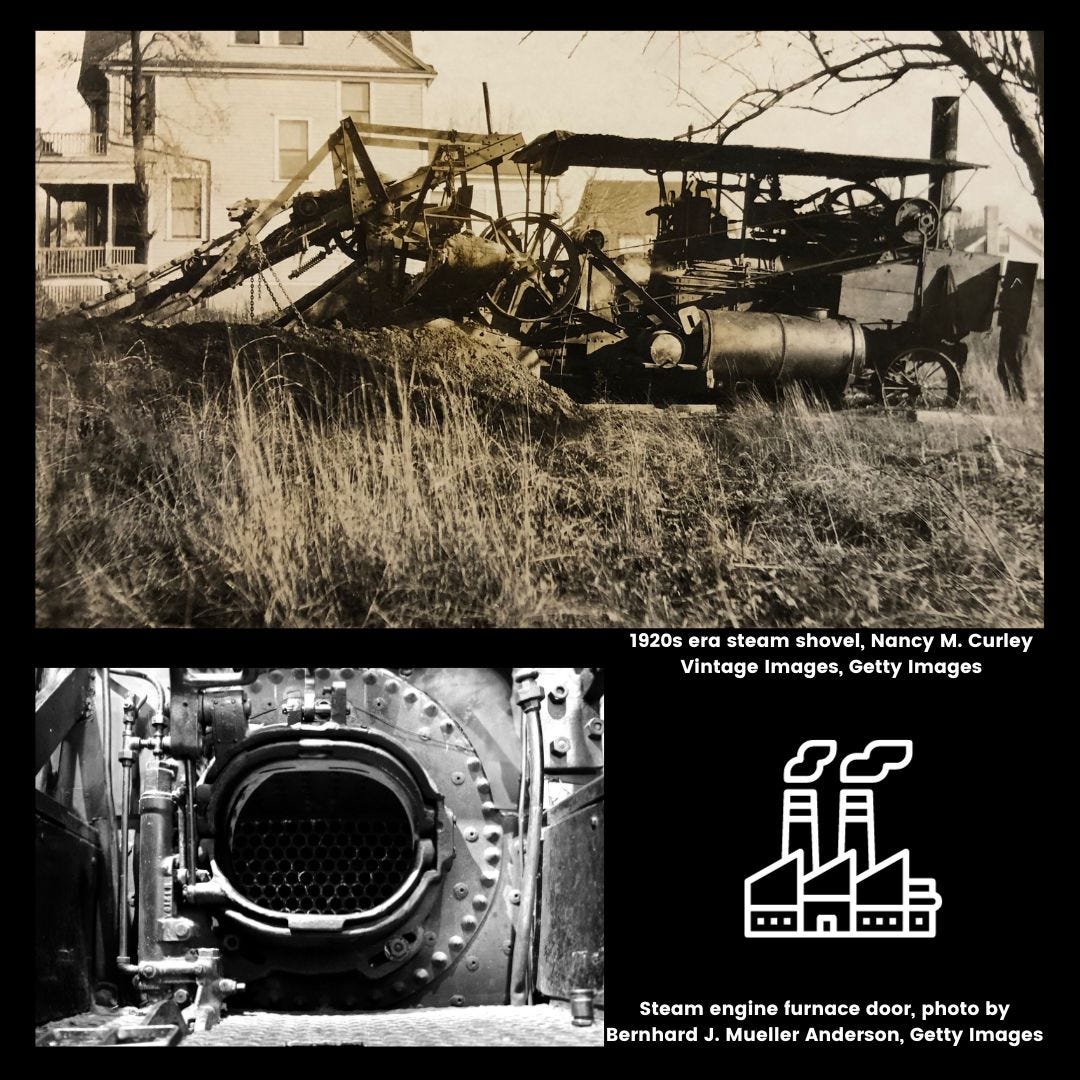
The writing prompt “Investigate the occupations of your ancestors” led me to think about my great grandfather John Curry and his occupation on the 1910s census as “steam shovel.”
People’s occupations on most census forms is in the columns to the right of their name, and John’s looked like this:

I never knew what “steam shovel” meant, so I did an internet search of the term “steam shovel 1920” and “steam shovel 1910”. I experimented for a few minutes with different terms to see what the search would return.
From the webpages, I collected a couple images, and made notes on what a steam shovel was and how it operated. I put my notes in a GoogleDoc, but you can use any word processing application. My notes were bullet points, not sentences.
I then copied the URL of the webpage, the title of the page and the author/creator of the information. I put this under my notes.
And that’s it!
I spent about 10 minutes on this step. I did not try to make a perfect citation. I did not research across 10 websites. I simply trusted in the results from a reputable source (Getty Images) and the information provided there.
The result was the image below with the caption on Instagram.
Introduction: What a Chronicle is and why write them
Step 1: Take notes for your 1st draft
Step 2: Places to find digital images
Step 3: Enhancing and annotating images
Step 4: Crafting a chronicle
Step 5: Publishing your chronicles